
Helping Authors Level Up Their Ads, Marketing & Mindset
FYI is where fiction and strategy meet:
ad + marketing pros helping authors thrive with smart, ethical strategies that actually work.
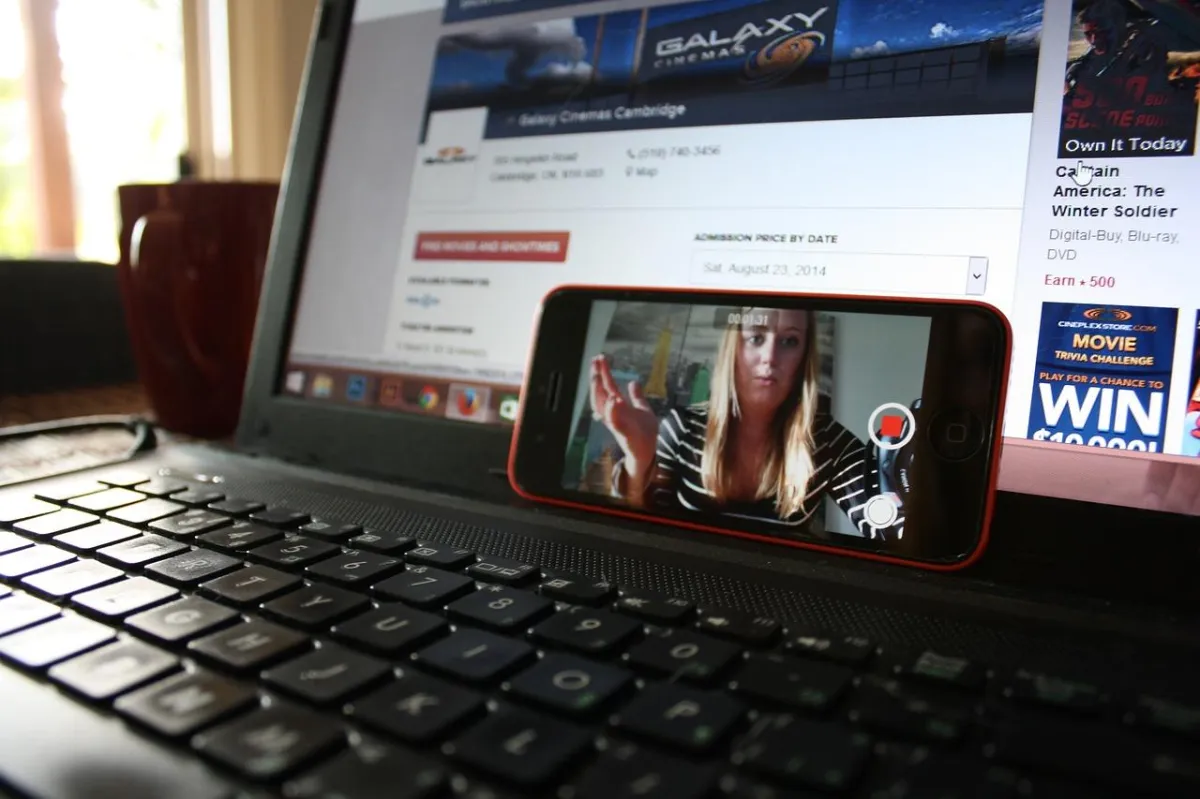
Instagram Live: Tips for Connecting with Your Reading Audience
Instagram Live has become an increasingly popular tool for businesses and individuals to connect with their audience. With its live video streaming feature, Instagram Live allows users to engage with their followers in real-time, creating an interactive and personal experience. This feature is particularly useful for authors and publishers who want to connect with their reading audience on a more personal level.
Using Instagram Live, authors can engage with their readers by answering questions, sharing behind-the-scenes content, and hosting Q&A sessions. This creates a sense of community and allows readers to feel more connected to the author and their work. Additionally, authors can use Instagram Live to promote their latest book releases and share sneak peeks of upcoming projects.
Overall, Instagram Live is an excellent tool for authors and publishers to connect with their reading audience. By using this feature, authors can engage with their readers on a more personal level, creating a sense of community and fostering a deeper connection between the author and their audience.
Understanding Instagram Live
The Basics of Instagram Live
Instagram Live is a feature that allows users to broadcast live video content to their followers in real-time. It is accessible through the Instagram app and is a great way to connect with your audience. To access Instagram Live, simply swipe right from your Instagram feed to open the camera, then swipe left to select the "Live" option.
When you start a live video, your followers will receive a notification that you are broadcasting. They can tune in and watch your video in real-time, and can also interact with you through comments and reactions. Once your live video is over, it will disappear from the app, unless you choose to save it to your camera roll.
Instagram Live Features
Instagram Live has several features that make it easy to use and engaging for your audience. Some of these features include:
Countdown Sticker: This sticker allows you to create a countdown for your live video, which can help build anticipation and encourage more viewers to tune in.
Questions Sticker: This sticker allows your audience to submit questions for you to answer during your live video.
Filters: Instagram Live has a variety of filters that you can use to enhance your video and make it more visually appealing.
Emoji Reactions: Your audience can react to your video with a variety of emojis, which can help you gauge their engagement and interest.
Benefits of Using Instagram Live
There are several benefits to using Instagram Live to connect with your audience:
Real-time Engagement: Instagram Live allows you to engage with your audience in real-time, which can help you build stronger connections and increase engagement.
Increased Visibility: When you go live on Instagram, your followers will receive a notification, which can help increase your visibility and reach.
Authenticity: Live video is unedited and unscripted, which can help you showcase your authenticity and personality to your audience.
Overall, Instagram Live is a powerful tool for connecting with your audience and building your brand. By understanding the basics of Instagram Live, its features, and its benefits, you can create engaging and authentic content that resonates with your audience.
Preparing for Your Live Session
Before going live on Instagram, it is important to make sure you are fully prepared. This section covers the key aspects you need to consider in order to have a successful live session.
Setting Up Your Space
The first step in preparing for your live session is to set up your space. Choose a location that is quiet and free from distractions. Make sure the background is visually appealing and relevant to your content. You may want to consider using a branded backdrop or displaying relevant props.
Technical Requirements
In addition to setting up your space, you need to ensure that you have the necessary technical requirements. Make sure you have a reliable camera that can capture high-quality video and audio. Test your internet connection to ensure that it is strong enough to support a live stream. Consider using a tripod or stabilizer to keep your camera steady.
Content Planning
Before going live, it is important to plan your content. Decide on a topic that is relevant to your audience and plan out the key points you want to cover. Consider using a script or outline to help you stay on track. Additionally, it is important to schedule your live session at a time when your audience is most likely to be online.
By taking the time to plan, set up your space, and ensure you have the necessary technical requirements, you can increase the chances of having a successful live session on Instagram.
Engaging with Your Audience
When using Instagram Live, it's important to engage with your audience to create a more interactive experience. Here are some tips for engaging with your audience during your live stream:
Encouraging Viewer Interaction
To encourage viewer interaction, content creators can ask their audience questions or ask for their opinions. This can be done by using Instagram's Q&A feature or by simply asking viewers to leave comments. By doing this, content creators can make their audience feel heard and valued.
Managing Comments and Questions
Managing comments and questions is an important part of engaging with your audience. Content creators should try to respond to as many comments and questions as possible to show their audience that they care about their opinions. Instagram also provides a feature to filter out comments that are inappropriate or offensive.
Using Q&A and Poll Features
Instagram's Q&A and poll features are great tools for engaging with your audience. The Q&A feature allows content creators to answer questions from their audience in real-time, while the poll feature allows them to ask their audience for their opinions on specific topics. These features can be used to gain valuable insights into what your audience wants to see from your content.
In conclusion, engaging with your audience during an Instagram Live session is crucial for creating a more interactive and enjoyable experience. By using the Q&A and poll features, managing comments and questions, and encouraging viewer interaction, content creators can build a loyal following and increase their engagement rates.
Enhancing Your Instagram Live
To create a successful Instagram Live session, it is important to enhance the overall quality of your broadcast. Utilizing visual and audio elements, collaborating with guests or co-hosts, and promoting your live session are all effective ways to enhance your Instagram Live and engage with your audience.
Utilizing Visual and Audio Elements
During the live video on Instagram, it is crucial to actively engage with your audience to create a meaningful and interactive experience. Interacting with viewers is a key aspect of Instagram Live and can significantly enhance the overall quality of your broadcast. One effective way to engage with your audience is by utilizing visual and audio elements to keep them interested. This includes choosing the right lighting, ensuring a stable internet connection, and setting up clear audio.
Collaborating with Guests or Co-Hosts
Collaborating with guests or co-hosts can also help enhance your Instagram Live session. By inviting other users to join your live stream, you can increase engagement and bring fresh perspectives to your content. This can also help you reach a wider audience and attract new followers. When collaborating with guests or co-hosts, it is important to choose individuals who have similar interests or expertise to ensure a cohesive and engaging live session.
Promoting Your Live Session
Promoting your live session is also essential to enhance your Instagram Live. This can be done by creating Instagram stories to promote your upcoming live session, posting about it on your feed, and sending reminders to your followers. By promoting your live session ahead of time, you can build anticipation and ensure that your audience is aware of your upcoming broadcast.
In summary, enhancing your Instagram Live can significantly improve the quality of your broadcast and increase engagement with your audience. Utilizing visual and audio elements, collaborating with guests or co-hosts, and promoting your live session are all effective ways to enhance your Instagram Live and connect with your audience.
Maximizing Reach and Engagement
Instagram Live is a powerful tool for connecting with your audience and building your brand. To make the most of your Instagram Live sessions, it's important to maximize your reach and engagement. Here are some tips to help you do just that.
Leveraging Instagram's Algorithm
To get the most out of your Instagram Live sessions, it's important to understand how the platform's algorithm works. Instagram's algorithm is designed to show users content that is relevant and engaging to them. This means that if your content is engaging and relevant to your audience, it is more likely to be shown to them.
One way to leverage Instagram's algorithm is to use relevant hashtags in your Instagram Live captions. This can help your content reach a wider audience by making it more discoverable. Additionally, you can use Instagram's Explore page to find relevant hashtags and content that is popular with your target audience.
Expanding Your Follower Base
Another way to maximize your reach and engagement on Instagram Live is to expand your follower base. This can be done by promoting your Instagram Live sessions on other social media platforms, such as Twitter and Facebook. You can also collaborate with other influencers and brands to reach a wider audience.
It's also important to engage with your existing followers to keep them interested and engaged. This can be done by responding to comments and direct messages, and by sharing behind-the-scenes content that gives them a glimpse into your life and work.
Analyzing Performance Metrics
Finally, it's important to analyze your performance metrics to see how your Instagram Live sessions are performing. This can be done by using Instagram's built-in analytics tools, which provide insights into your reach, engagement, and other key metrics.
By analyzing your performance metrics, you can identify areas where you can improve and optimize your content for maximum reach and engagement. For example, if you notice that your audience engagement is low, you can experiment with different types of content or adjust your posting schedule to see if it makes a difference.
Overall, maximizing your reach and engagement on Instagram Live requires a combination of strategy, creativity, and data analysis. By leveraging Instagram's algorithm, expanding your follower base, and analyzing your performance metrics, you can create engaging content that resonates with your audience and helps you achieve your goals.
After the Live Broadcast
Once the Instagram Live broadcast is over, there are a few key steps to take in order to maximize its impact and engagement.
Saving and Repurposing Content
It's important to save the Live video to ensure that it can be used in the future. Instagram allows users to save the video to their camera roll by tapping the download button in the top left corner of the screen. This will save the video without any of the likes or comments.
The saved video can be repurposed in a number of ways, such as editing it into shorter clips for use in future social media posts or blog articles. Additionally, the video can be transcribed and used as the basis for a blog post or other written content.
Responding to Follow-Up Engagement
After the Live broadcast, it's important to respond to any follow-up engagement from viewers. This includes responding to comments and direct messages, as well as engaging with any posts that were made during the broadcast.
Responding to engagement in a timely and professional manner can help build trust and credibility with your audience. Additionally, it can help to keep the conversation going and encourage further engagement in the future.
Evaluating Success and Areas for Improvement
Finally, it's important to evaluate the success of the Live broadcast and identify areas for improvement. This can be done by reviewing the number of viewers, likes, and comments that the broadcast received, as well as any feedback that was provided by viewers.
Instagram Insights can also be used to gain additional insights into the success of the broadcast, such as the number of people reached and the engagement rate. This information can be used to identify areas for improvement and make adjustments to future broadcasts.
By taking these steps after a Live broadcast, users can maximize the impact of their content and build stronger connections with their audience.
Frequently Asked Questions
How can I effectively engage with my audience during an Instagram Live session?
Engaging with your audience is key to a successful Instagram Live session. One way to do this is by encouraging viewers to ask questions in the comments section. You can also use the "Ask a Question" feature to collect questions from your audience before your live session. During the session, answer these questions and make sure to acknowledge viewers by name. You can also use interactive features like polls, quizzes, and challenges to keep your audience engaged.
What are the rules and best practices for hosting an Instagram Live?
When hosting an Instagram Live, it's important to follow some basic rules and best practices. First, make sure you have a stable internet connection and a quiet environment. It's also a good idea to promote your live session beforehand to increase your audience. During the session, make sure to introduce yourself and your topic, engage with your audience, and stay on topic. Finally, make sure to end the session gracefully and thank your viewers for tuning in.
Can viewers still see my Instagram Live video after it has ended?
Yes, viewers can still see your Instagram Live video after it has ended. The video will be available on your Instagram profile for 24 hours after the session. You can also save the video to your camera roll and post it to your Instagram feed or IGTV for later viewing.
Is there a way to know if someone has watched my Instagram Live after it's over?
Yes, you can see who has watched your Instagram Live video after it's over. Simply go to the video on your Instagram profile and swipe up to see the list of viewers. Note that you can only see the viewers who watched the video during the 24-hour period after the session.
How do I troubleshoot issues when Instagram Live is not working?
If you're having issues with Instagram Live, there are a few things you can try. First, make sure you have a stable internet connection. You can also try clearing your cache and cookies or updating the Instagram app. If these steps don't work, try restarting your device or uninstalling and reinstalling the app.
What are some interactive activities to do with friends during an Instagram Live?
There are many interactive activities you can do with friends during an Instagram Live session. Some ideas include playing games like trivia or charades, doing a Q&A session, or hosting a virtual party. You can also collaborate on a project or challenge, or simply chat and catch up with each other. The possibilities are endless!
